Plug it in.
It sits flush against the edge of your laptop, exactly where you need it and nowhere else.
A shortcut you can actually touch.
A tiny, tactile, programmable key that plugs straight into your computer. No dock. No cable. Just click.
Go on, press it
Computers got sleeker.
Work got clickier.
Everything useful is now buried in a tab, behind a shortcut, inside a menu. CLICKKEY brings your most-used action out of the screen and puts it right beside your hand.
It sits flush against the edge of your laptop, exactly where you need it and nowhere else.
Launch your AI, mute a meeting, open a project or ship a build. You decide what the click means.
One motion. One piece of muscle memory. The tiny ritual that keeps your thinking moving.
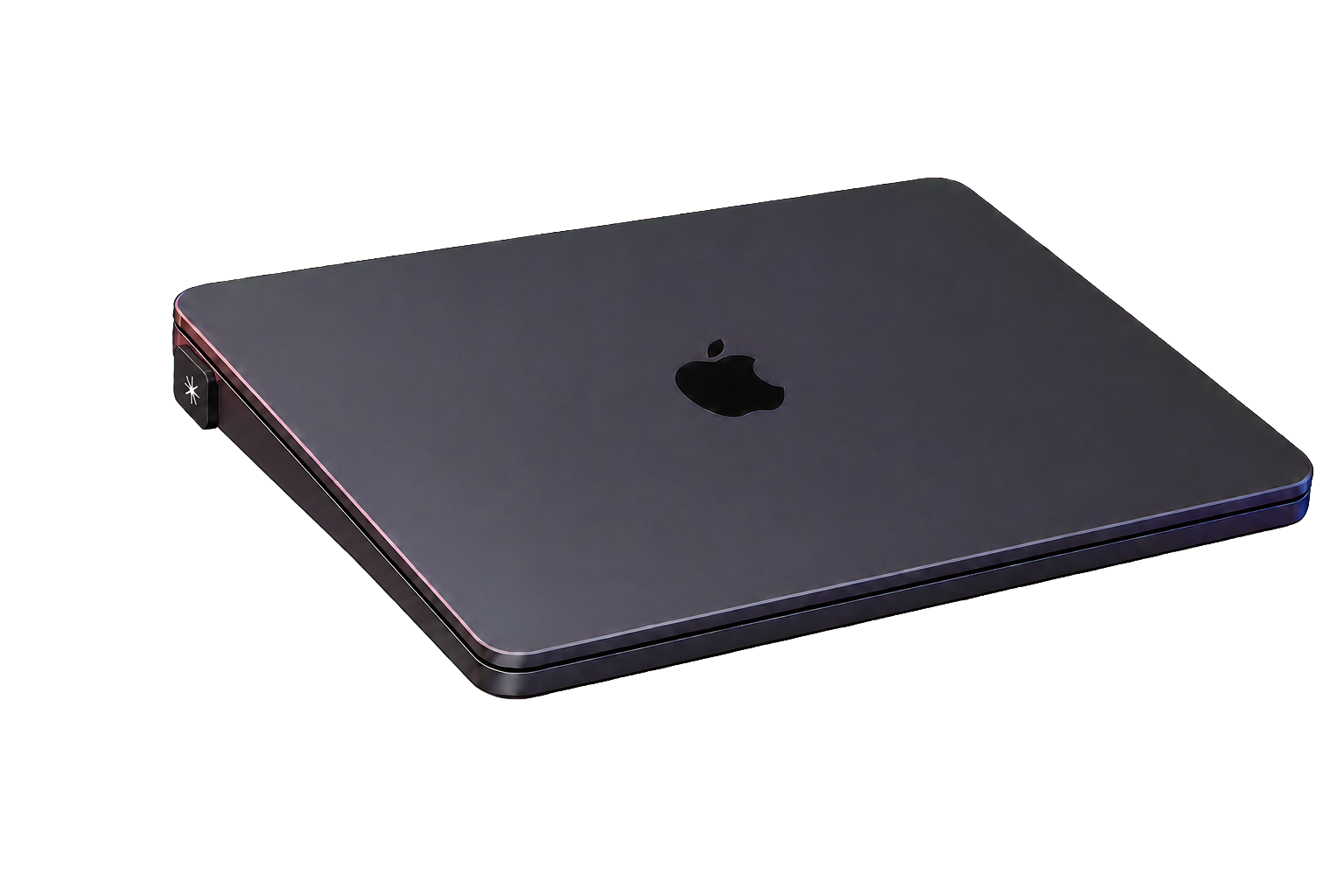
“The best interface is the one your finger finds before your brain has to ask.”
The click stays the same. The meaning is entirely up to you.
Press the key
or hit your spacebarStart with one. Add more when another action earns a permanent place on your desk. Each key identifies itself; every key remembers its job.
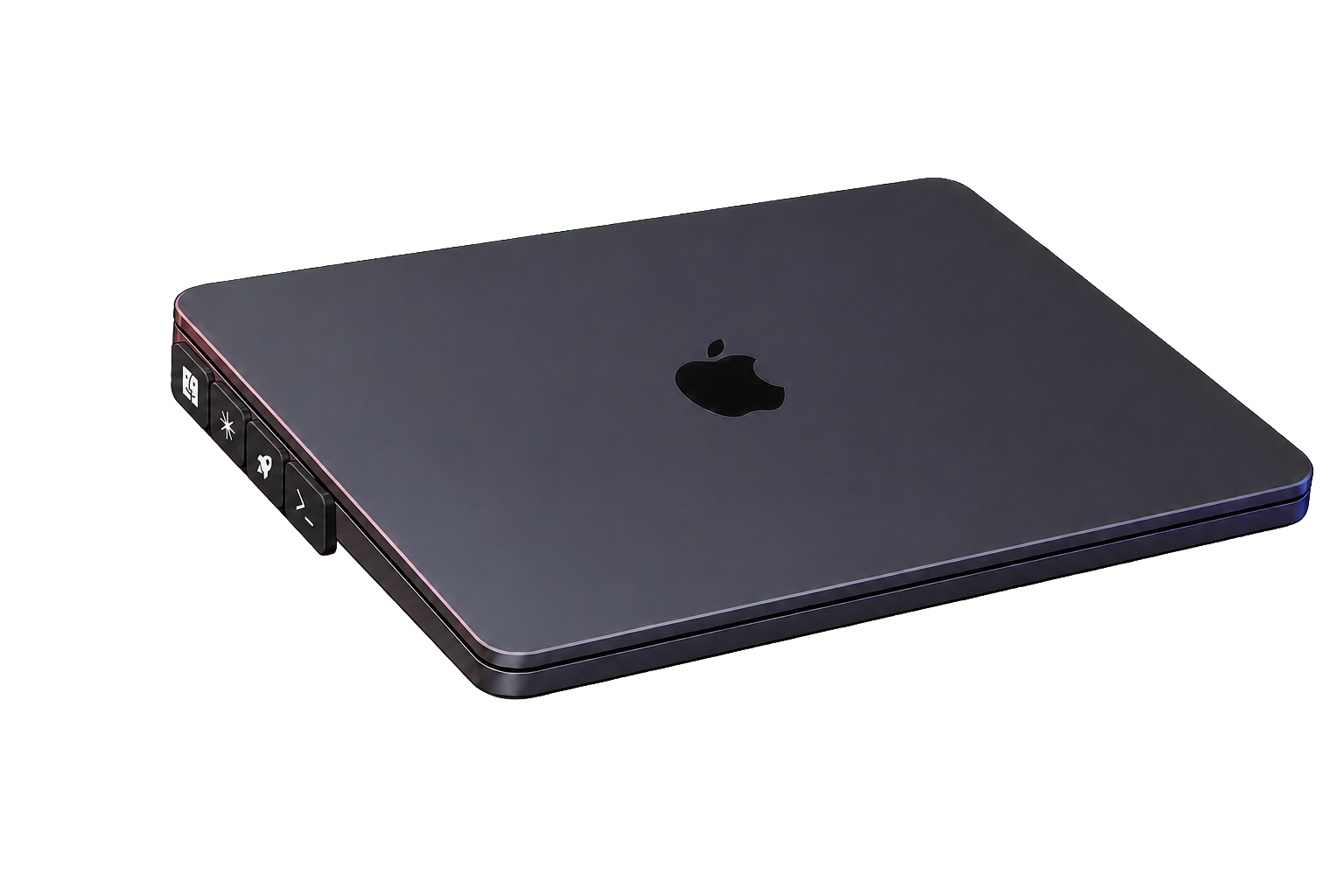
Twenty-four transparent icon caps across six ready-made packs. Choose one reflex or build a magnetic four-key row around the way you work.
Shop all capsPress to open. Hold to speak. Release to send. Keep your eyes on the work.
A physical, unmistakable toggle for every “sorry, I was on mute.”
Run a Shortcut, script or command. Give your favourite automation a launch button.
Only for setup. Map your action in the browser, then CLICKKEY remembers it on-device. You can close the mapper and get back to work.
As often as you like. Choose a keyboard shortcut, launch an app, run a script or connect it to your favourite automation.
Yes. The first drop will include a small set of icon caps, with more colours and symbols planned for later runs.
The body can be oriented for either side, and your mapped action stays right-side-up. Left-hand and right-hand setups are both welcome.
The first drop is small.
Join for prototype notes, launch timing and first access. No weekly “growth hacks.” Promise.


